YouTube Ads Approval Playbook
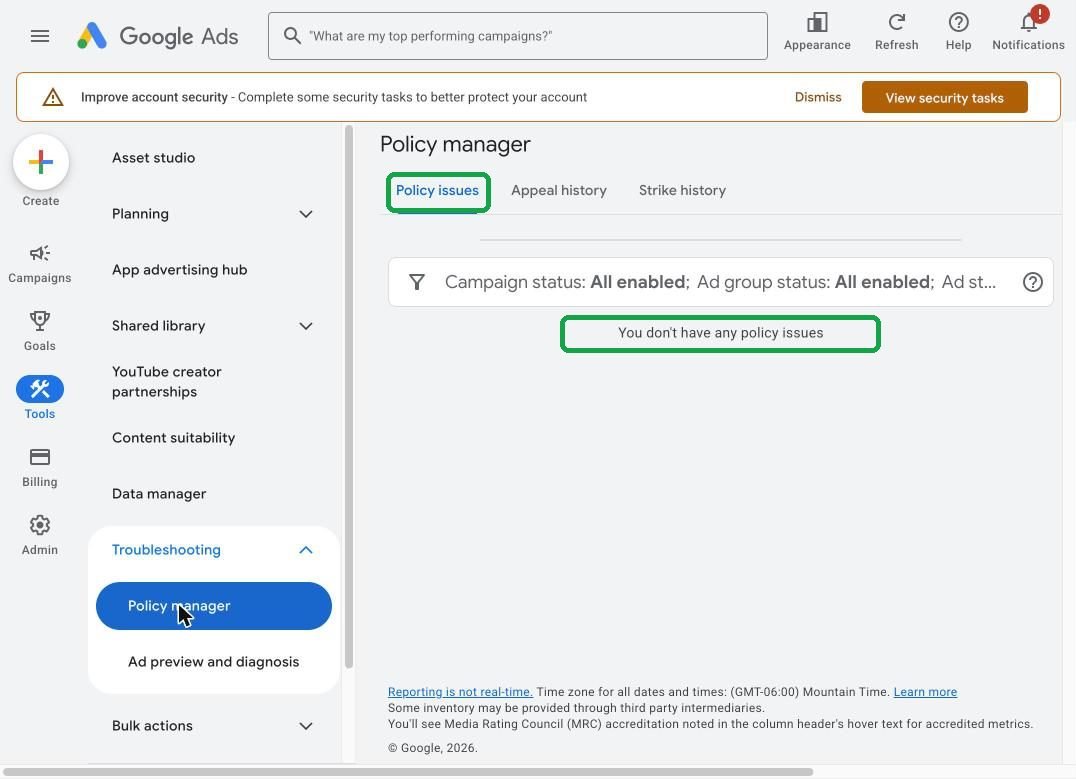
How we went from a full inbox of "Ads disapproved" emails to "You don't have any policy issues." Real screens from our own Google Ads account, step by step.
Watch us diagnose and fix a disapproved ad
Our new YouTube ad was approved, then disapproved the next day. Here's exactly how we found the problem, fixed it, and got it approved again in under 20 minutes, without an appeal.
1. The diagnosis
Policy manager, the status popup, "automated checks", and finding the exact asset.
2. The fix
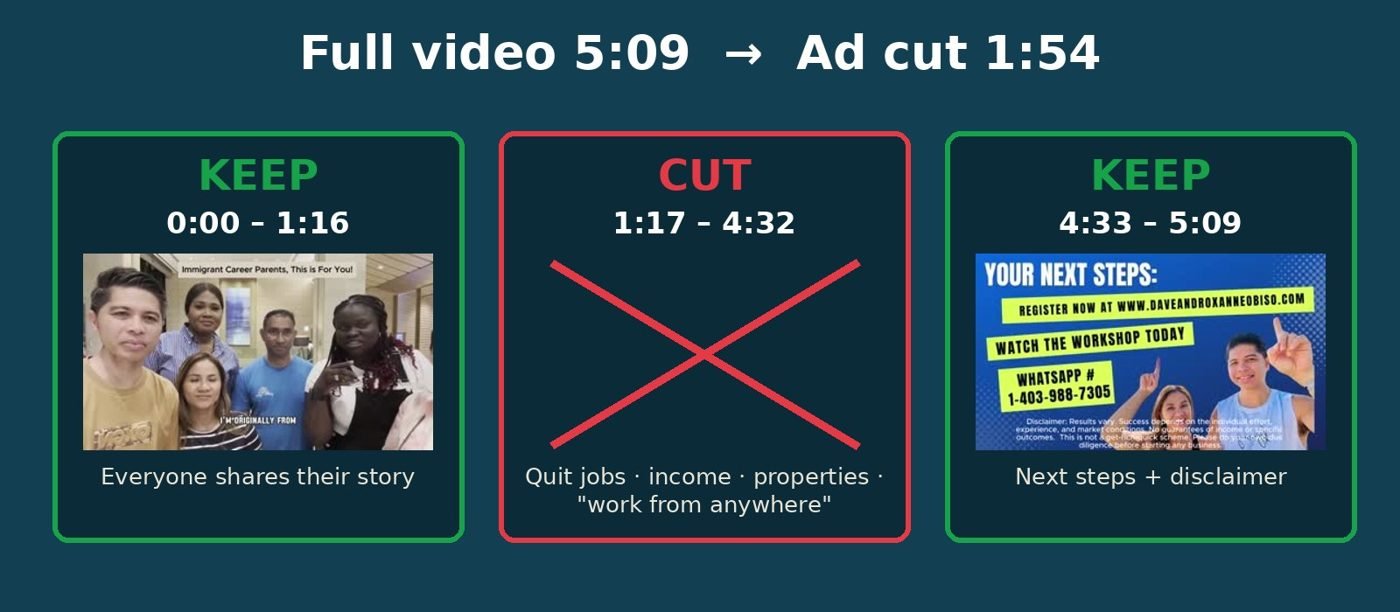
Turning off AI images, why we didn't appeal, and making a clean ad version of the video.
3. The after
Eligible. No issues found. What to remember.
Find it. Fix it. Save it.
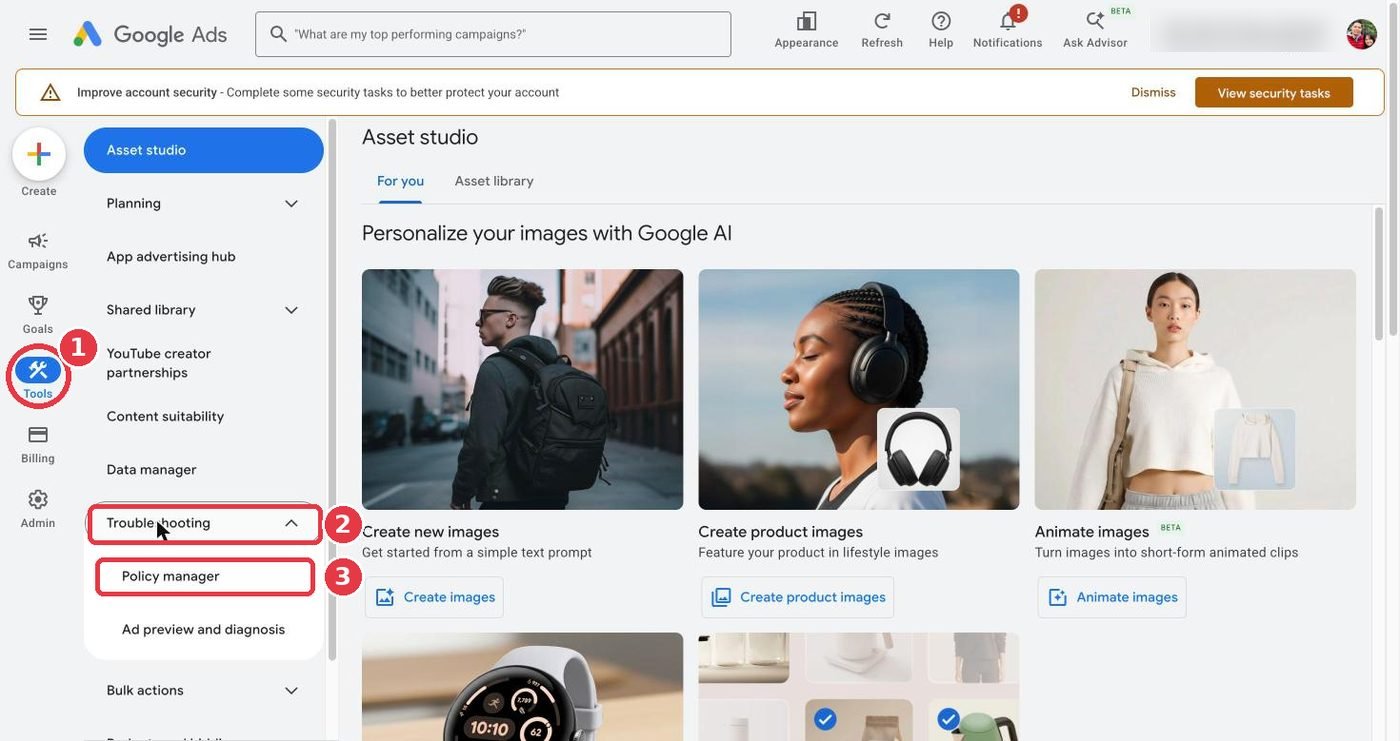
- Find the policyGoogle tells you exactly what's wrong. Write down the policy name.Tools›Troubleshooting›Policy manager
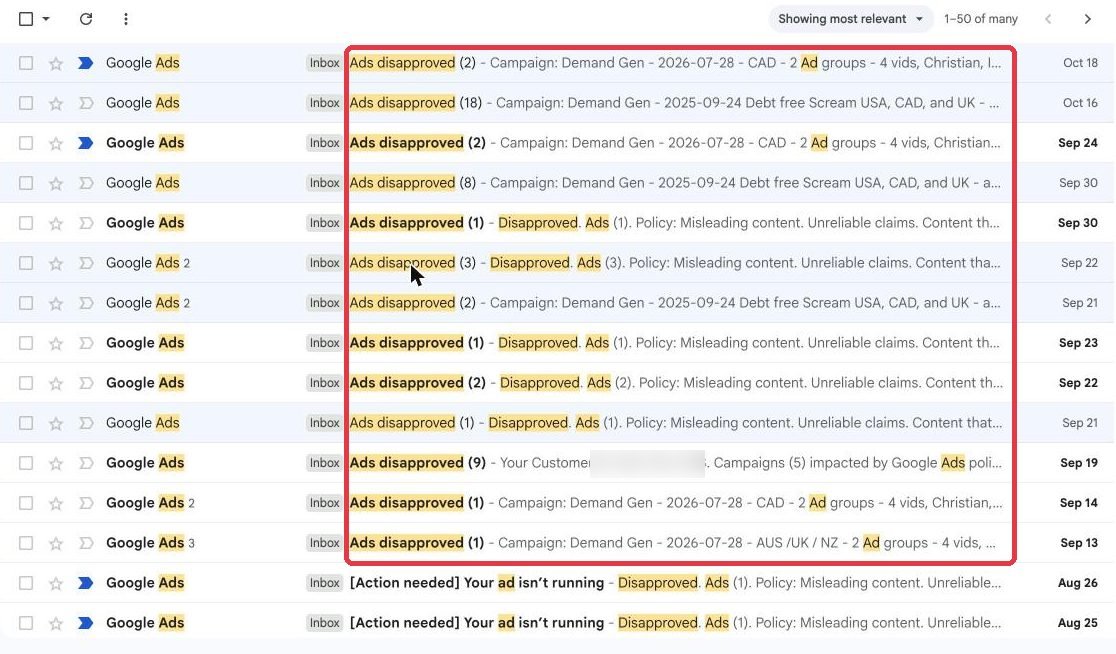
- Find who decidedHover the ad's status, then click "Show more detail". "Automated checks" means the AI flagged it. "Google Investigation" without that line means a person reviewed it.
- Find the exact assetClick "View asset details" under the ad and check every page. Often the text is fine and only one video or image is flagged.
- Fix the real problemLanding page first (disclaimers, contact info, policy pages). Then the creative: remove income, lifestyle and "quit your job" claims from text, images and video.
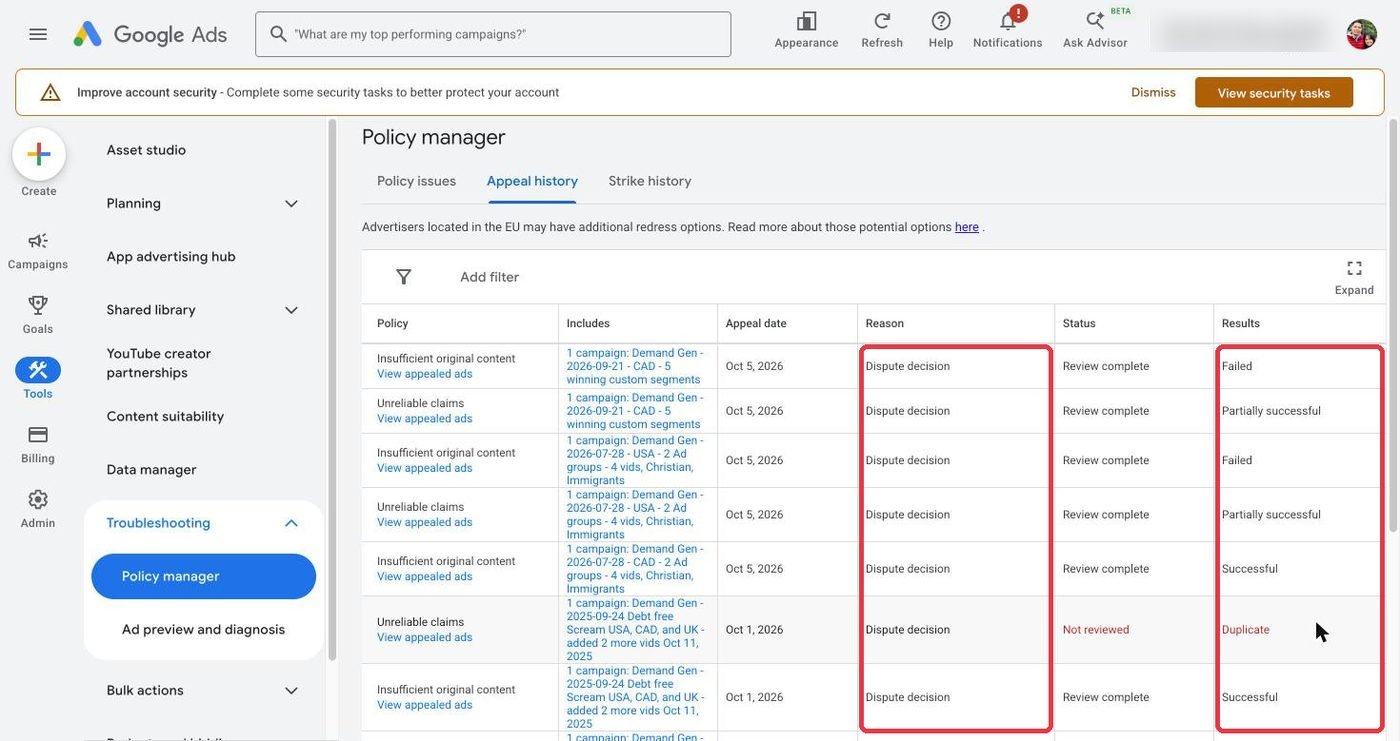
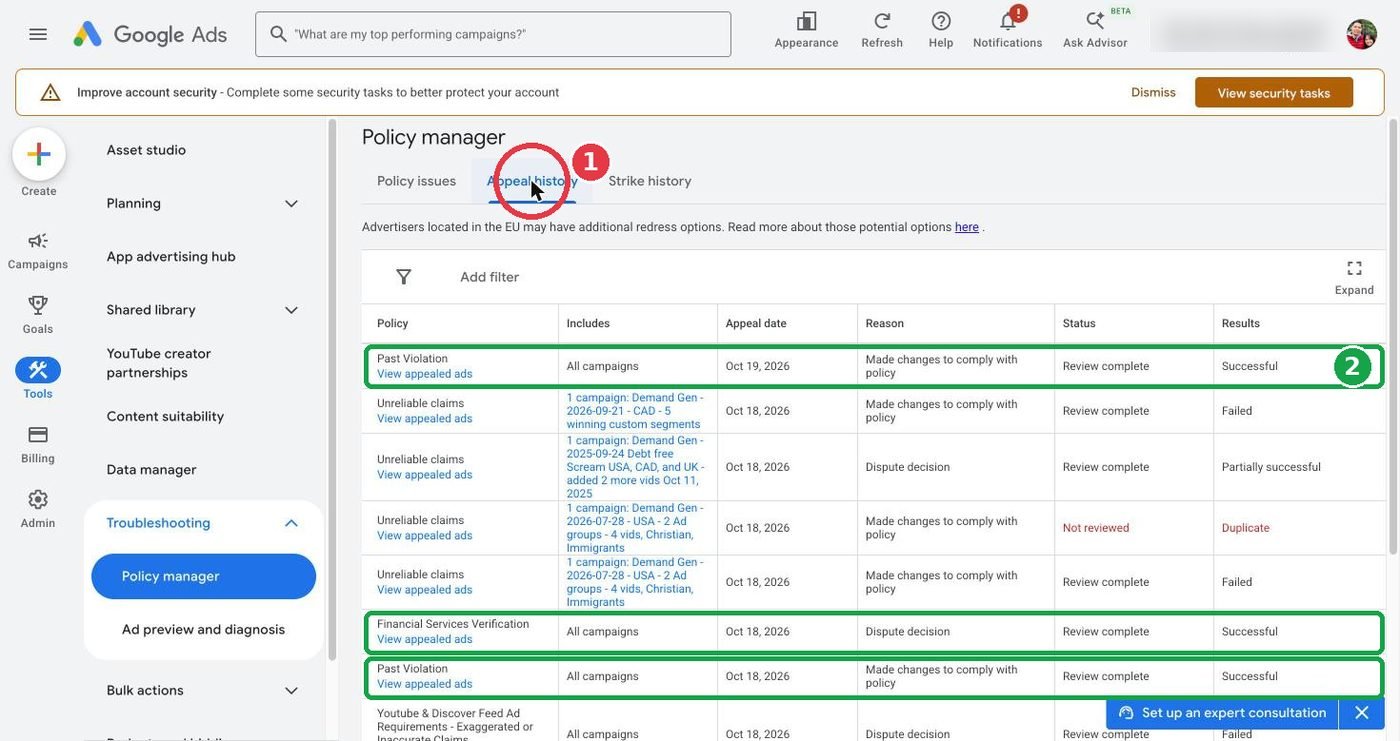
- Save, then appeal only if neededSaving a real change sends the ad for review automatically. If you appeal, choose "Made changes to comply with policy". Disputing ads you haven't fixed can limit your appeals.
Kinds of disapproval
Misleading content: Unreliable claims
Google thinks you promise a result you can't prove: income, time freedom, a life change.
Fix
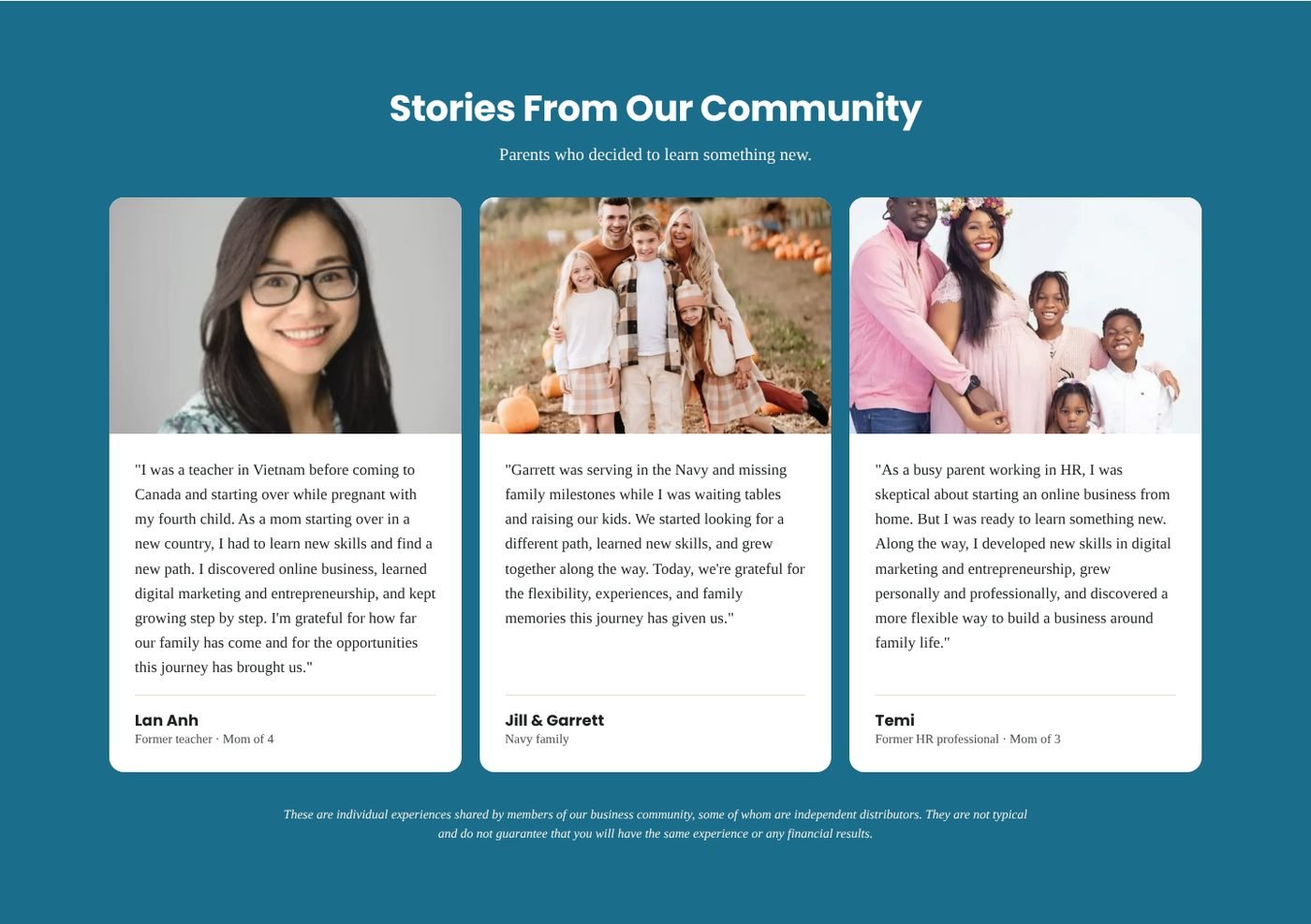
Remove income, hours and "quit your job" wording, including in testimonials and videos. Add an earnings disclaimer and "results not typical."
Misleading Ad Design
An image that looks like a button or form you can click. Google AI can create these from your landing page.
Fix
Edit ad › Asset optimization › turn off "Landing page previews". Remove the image.
Unavailable video
The video is private, deleted, or restricted.
Fix
Set it to Public or Unlisted in YouTube Studio, then save the ad.
Insufficient original content
The page is mostly a form with little information.
Fix
Add who you are, what the training covers, FAQs, contact details and policy pages.
Destination not working
Google couldn't load your page or a link is broken.
Fix
Test on phone and laptop, fix it, then hover the status and click Appeal.
Capitalization & clickbait
ALL CAPS, "!!!", or text that suggests you know the viewer's situation ("Drowning in debt?").
Fix
Normal sentence case. Talk about the training, not the viewer's problems.
Past Violation
Old problems holding the whole account back.
Fix
Fix everything else first, then appeal for all campaigns with "Made changes to comply with policy".
Financial Services Verification
Google thinks you sell financial products.
Fix
If you only offer education, dispute for all campaigns and keep your page clearly educational.
Before and after
Website checklist
Tick these off before you appeal. Most "Unreliable claims" problems are on the page, not in the ad.
Words to swap
| Avoid | Use instead |
|---|---|
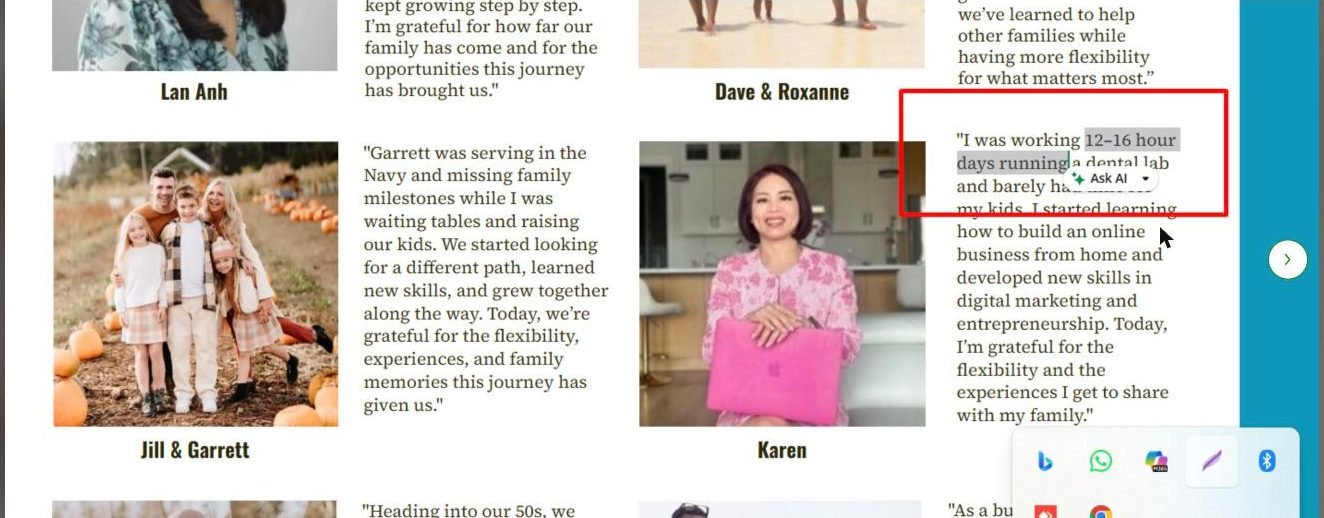
| "I was working 12–16 hour days and now…" | "I started learning how to build an online business from home." |
| "Quit your job" / "Fire your boss" | "Learn a new skill at a pace that fits family life." |
| "Make $10K a month" | "Learn the steps we found most important." |
| "Build your freedom lifestyle. Work from anywhere." | "Learn at your own pace with step-by-step training." |
| "World-class proprietary system" | "Training, tools and support." |
| "Drowning in debt?" | "A free training for parents curious about online business." |
| "FREE TRAINING!!!" | "Free training" |
| "One decision away from changing your life forever" | "Watch the free session and decide what's right for your family." |
What to say to Google
Replace the [brackets]. Only say what you actually changed.
Appeal: Unreliable claims
Reason: Made changes to comply with policyI have updated my landing page and ads to comply with the Misleading content (Unreliable claims) policy. Changes made: - Removed wording about income, hours worked and life changes, including in testimonials - Added "These experiences are not typical" under all testimonials - Added an earnings disclaimer to the page and footer - Replaced the video with a version that describes the free training only Landing page: [your page link] Please re-review the ads in campaign [campaign name]. Thank you.
Appeal: Destination not working
Reason: Made changes to comply with policyI have fixed the landing page for this campaign. The page now loads correctly on desktop and mobile, and every link (privacy policy, terms, refund policy, earnings disclaimer) opens a working page. Landing page: [your page link] Please re-review the ads in campaign [campaign name]. Thank you.
Appeal: Past Violation
Reason: Made changes · All campaignsWe have reviewed every ad and landing page in this account and fixed the issues behind past disapprovals. We removed result and income claims, added "not typical" notes to testimonials, added an earnings disclaimer and a statement that we are not affiliated with Google, and confirmed all policy links work. Please review the account again so our compliant ads can serve normally. Thank you.
Google support chat opener
Help › Contact usHi, my customer ID is [123-456-7890]. Ads in campaign [campaign name] are disapproved for [policy name]. I have already updated my landing page and ads ([what you changed]). Can you tell me exactly which part (ad text, video, image or a sentence on the landing page) is still causing the issue?
Want us to look at your account?
Send the person who shared this page three things: your Google Ads customer ID, a screenshot of your Policy manager, and your landing page link. We'll point you in the right direction.